
25 Best Gemini Omni Prompts for Cinematic AI Video
Gemini Omni prompts work differently from the one-shot instructions many creators learned for earlier video generators. The model can combine text, images, audio and video, then refine the same scene through conversation. This guide gives you a practical formula, 25 copy-ready examples and a repair workflow for results that miss the brief.
What Makes Gemini Omni Prompting Different?
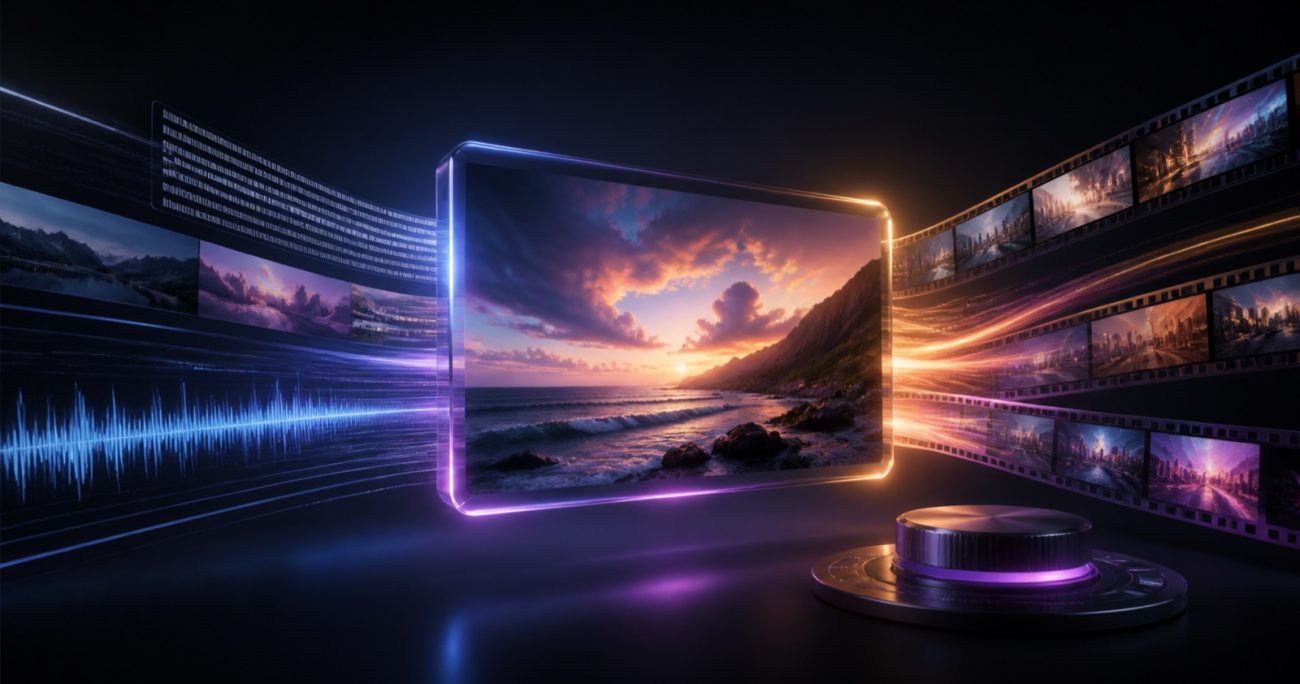
Google describes Gemini Omni as an any-input creative model that starts with video output. You can supply a mixture of text, images, audio and video, then ask for changes in natural language. Instead of rebuilding a prompt whenever one detail is wrong, you can preserve the scene and revise a specific element over several turns.
The official Gemini Omni prompt guide recommends thinking about shot framing and motion, style, lighting, location and action. Google also highlights conversational editing, reference inputs, physics and real-world context as core capabilities. That makes the best workflow closer to directing and editing than gambling on a single giant prompt.
The Gemini Omni Prompt Formula
Use this seven-part structure as a checklist. You do not need every item in every prompt, but the first five will solve most consistency problems.
Master template: “[Subject] [performs one clear action] in [environment]. Frame as [shot size] with [camera movement]. Use [lighting] and a [visual style] finish. Audio: [sound or dialogue]. Keep [identity/object/label/layout] consistent. Avoid [unwanted changes]. Format: [aspect ratio and intended platform].”
If you are comparing prompting styles across models, also see Omar Alshal’s guide to the best video prompts for Seedance 2.5. The fundamentals overlap, but Omni benefits more from references and iterative edits.
Gemini Omni Prompts for Cinematic Video
1. One-Take Desert Pursuit
A lone motorcyclist races across a vast salt desert at sunrise while a wall of dust closes in behind. Begin with a low close tracking shot beside the front wheel, then rise smoothly into a wide aerial reveal without cutting. Warm horizontal sunlight, long shadows, realistic suspension movement and wind pressure on the rider’s jacket. Sound only: engine strain, gravel, rushing air. Cinematic 2.39:1 composition, grounded physics, no text, no extra vehicles.
CINEMATIC · ONE CONTINUOUS SHOT
2. Rainy Neo-Noir Portrait
A private detective waits beneath a narrow awning on a rain-soaked city street at midnight. Slow push-in from medium shot to close-up as passing headlights paint moving reflections across the face. Teal streetlight, warm interior spill, shallow depth of field, restrained neo-noir color grade, realistic rain interaction with clothing and pavement. Audio: rain, distant traffic and a quiet electrical hum. Keep the character’s face, coat and position consistent throughout.
PORTRAIT · MOODY LIGHTING
3. Miniature Stop-Motion Kitchen
A tiny handcrafted chef prepares one perfect bowl of pasta inside a miniature kitchen made from paper, felt and painted wood. Show a continuous sequence of stirring, plating and adding one basil leaf. Locked tabletop camera with subtle stop-motion jitter, tactile materials, soft window light and warm practical lamps. Sound: small utensil taps, bubbling water and room tone. Preserve the chef’s scale and costume; no human hands, no captions, no modern plastic objects.
STOP MOTION · TACTILE STYLE
4. Underwater Discovery
A marine archaeologist swims into a submerged stone library as a school of silver fish reveals a glowing map carved into the floor. Start behind the diver, move over the shoulder, then orbit slowly around the discovery. Natural underwater light rays, suspended particles, accurate buoyancy, calm cinematic pacing and realistic fabric movement. Audio is muffled breathing, bubbles and low ocean resonance. Keep the architecture ancient and weathered; no fantasy creatures, no written subtitles.
WORLD BUILDING · PHYSICS
5. Historical Street Reconstruction
Reconstruct a busy scholarly street in ninth-century Baghdad near the House of Wisdom, with paper sellers, translators and astronomers moving through the scene. A steady shoulder-height tracking shot follows a courier carrying bound manuscripts. Sunlit dust, historically plausible textiles and architecture, natural crowd movement and documentary realism. Audio: footsteps, paper, market conversation in the distance. Avoid modern objects, fantasy styling, readable modern signage and anachronistic clothing.
HISTORY · WORLD KNOWLEDGE
6. Fluid Physics Beauty Shot
A clear glass sphere drops into a shallow pool of black water and releases a slow spiral of iridescent ink beneath the surface. Macro side view at water level, ultra-slow motion, controlled studio lighting with a soft white key and violet rim. Preserve physically believable splash timing, refraction, surface tension and fluid mixing. Sound: one clean impact followed by subtle underwater resonance. Minimal black environment, no labels, no text, no camera shake.
MACRO · FLUID DYNAMICS
Gemini Omni Prompts for Products and Ads
7. Premium Skincare Product Reveal
A frosted glass skincare bottle stands on wet dark stone as morning mist moves gently around it. Begin with a macro detail of condensation, pull back into a centered hero composition, then complete one slow 20-degree orbit. Soft sunrise key light, amber edge light, realistic glass and water reflections, luxury editorial finish. Sound: airy room tone and one soft glass note. Preserve the supplied bottle shape and label exactly; keep all text legible; no extra packaging.
PRODUCT · LABEL CONSISTENCY
8. Athletic Shoe Performance Ad
A runner ties the supplied shoe at the edge of an empty track before dawn, then launches into a sprint. Use three connected visual beats: extreme close-up of the laces, low tracking shot beside the shoe, wide finish-line silhouette. Crisp blue pre-dawn light shifts gradually to warm sunrise. Detailed sole compression and fabric flex, energetic but believable motion. Audio: lace pull, breath, footsteps and rising pulse. Preserve shoe colors, silhouette and logo placement from the reference image.
SPORTS AD · REFERENCE IMAGE
9. Coffee Commercial in 9:16
A barista pours a thin stream of steamed milk into an espresso, forming a clean rosette as early sunlight crosses the wooden counter. One vertical macro shot with a gentle top-down tilt, rich natural browns, visible steam and realistic liquid motion. Audio: milk pouring, cup contact and quiet café ambience. End on the finished cup with two seconds of stillness for a social media end card. Format 9:16. No people’s faces, no captions, no invented branding.
REELS · FOOD & BEVERAGE
10. Smartphone Feature Demonstration
Use the supplied phone reference as the exact product. The phone floats above a matte graphite surface while the camera performs a slow half orbit. At the midpoint, a controlled ribbon of light travels across the edges to reveal the camera module and thin profile. Premium studio lighting, precise metal and glass reflections, clean technology-ad pacing. Sound: subtle electronic pulse and one tactile click. Do not change proportions, buttons, camera count, color or visible interface.
TECH PRODUCT · OBJECT LOCK
11. Restaurant Brand Story
Tell a ten-second farm-to-table story: dew on fresh herbs at sunrise, a chef’s hands chopping them, then the finished dish arriving at a candlelit table. Use match cuts based on circular shapes to connect the three moments. Warm documentary cinematography, authentic food texture, restrained camera movement and natural skin tones. Sound transitions from morning birds to knife rhythm to quiet dining ambience. No narration, no visible faces, no generated brand names or text.
BRAND STORY · MATCH CUTS
Gemini Omni Prompts for Education and Explainers
17. Protein Folding Explainer
Create a scientifically grounded stop-motion explainer of a protein chain folding into a stable three-dimensional structure. Everything is built from colored clay on a neutral tabletop. Use a slow overhead camera and clear sequential movement: chain formation, hydrophobic collapse, final folded shape. Friendly voiceover: “A protein’s shape helps determine what it can do.” Keep the science simplified but accurate. No hands, no labels, no DNA helix and no abrupt voice cut.
SCIENCE · STOP MOTION
18. Solar Eclipse Visualization
Visualize a total solar eclipse from a position above Earth, then transition smoothly to the view of an observer on the ground inside the path of totality. Show the Moon’s shadow crossing Earth at a physically plausible scale, then the solar corona becoming visible as daylight darkens. Calm documentary pacing, accurate relative motion and restrained cinematic realism. Voiceover explains the alignment in two short sentences. Avoid astrology symbols, fantasy colors and misleading planetary sizes.
ASTRONOMY · REAL-WORLD KNOWLEDGE
19. Architecture Concept Walkthrough
Use the supplied floor plan and exterior sketch as references for one coherent small library. Begin outside at eye level, enter through the main door and follow a continuous path to the central reading room. Daylight enters from the windows shown in the plan; materials are pale stone, oak and acoustic fabric. Calm architectural visualization with human-scale proportions. Preserve room relationships, door locations and façade geometry. No people, no labels, no invented extra floors.
MULTI-REFERENCE · DESIGN
20. Supply Chain in One Shot
Explain a simple coffee supply chain in one continuous miniature-diorama shot. The camera follows one highlighted coffee sack from farm harvest to truck, port, roastery and café, with each location connected physically on the same tabletop world. Clear visual cause and effect, realistic but charming materials, neutral studio light and smooth pacing. Add concise voiceover but no on-screen labels. Keep the highlighted sack identifiable throughout; avoid teleportation and duplicated objects.
BUSINESS EXPLAINER · CONTINUITY
Gemini Omni Prompts for Editing and Reference Control
21. Replace One Object Only
In the supplied video, replace only the red ceramic cup with the brushed-steel travel mug from the reference image. Match the original cup’s position, scale, perspective, reflections and contact shadow in every frame. Preserve the person, hands, table, background, lighting, camera motion, timing and audio exactly. Do not change any other object. The replacement must remain consistent during the full hand interaction.
PRECISION EDIT · OBJECT REPLACEMENT
22. Change the Weather, Preserve the Scene
Transform the supplied sunny street video into a gentle winter snowfall at blue hour. Keep the camera path, people, vehicles, buildings and all actions unchanged. Add believable snow accumulation only to upward-facing surfaces, cool the ambient light and introduce warm window illumination. Match flakes to depth and motion; preserve faces and clothing. Retain the original dialogue, add only subtle wind and snow ambience, and do not create new signs or objects.
ENVIRONMENT EDIT · SCENE LOCK
23. Style Transfer Without Identity Drift
Transform the supplied portrait video into a handcrafted ink-and-watercolor animation. Preserve the person’s facial structure, expression, hairstyle, body movement, wardrobe silhouette, timing and original camera motion. Use visible paper texture, controlled ink outlines and restrained watercolor blooms. Keep the background composition recognizable but simplified. Preserve the original audio exactly. Do not age the person, change skin tone, add accessories or alter lip movement.
STYLE TRANSFER · IDENTITY
24. Multi-Turn Character Revision
Follow-up edit: keep the current character, facial identity, wardrobe, environment, action, lighting, camera movement and audio exactly as they are. Change only the camera angle to an over-the-shoulder view from the character’s right side, as if a second camera captured the same moment. Maintain scene geometry and continuity. Do not redesign the character, restart the action, add dialogue or change the color grade.
FOLLOW-UP TURN · CAMERA CHANGE
25. Text Synchronized to Action
Create a clean kinetic-typography video on a dark studio background. A single glass marble rolls from left to right; as it passes four marked points, reveal one word at a time in this exact order: “IDEA”, “SYSTEM”, “ACTION”, “RESULT”. Each word appears only after the marble crosses its point and remains sharp and correctly spelled. Smooth lateral tracking camera, precise timing, realistic glass reflections and four subtle impact sounds. No extra words, no logo and no decorative symbols.
TEXT RENDERING · TIMING
Real Gemini Omni Video Example by Omar Alshal
The following 65-second Sintra AI promotional video was created entirely by Omar Alshal using Google Gemini Omni. It is a practical example of how the prompt principles in this guide can support a complete branded production—not just a single visual test.
How to Fix Gemini Omni Prompts That Miss
Do not immediately replace a near-success with a completely new generation. Omni’s conversational editing is useful precisely because you can isolate the problem. Use the smallest instruction that clearly defines what changes and what stays locked.
| Problem | Better follow-up instruction |
|---|---|
| Identity changed | “Restore the face and hairstyle from the reference. Change only the background.” |
| Too many camera moves | “Use one continuous slow push-in. Remove all cuts, orbits and zooms.” |
| Motion feels unnatural | “Reduce the speed by half and preserve realistic weight, momentum and contact.” |
| Wrong object or label | “Use the supplied product as an exact reference; preserve shape, colors and label.” |
| Dialogue ends abruptly | “Keep the final frame for two seconds after the last spoken word.” |
| Scene became cluttered | “Remove all secondary props except the table and lamp. Keep the subject centered.” |
A Reliable Three-Pass Workflow
- Generate the core shot: subject, action, camera, environment and format.
- Lock continuity: identify the face, product, layout, text or movement that must not drift.
- Polish one variable at a time: lighting, sound, pace, background or camera angle.
This method also makes it easier to compare outputs and understand which phrase caused an improvement. For a wider tool-selection framework, read The Best AI Tools for Business in 2026.
Frequently Asked Questions
What is the best structure for Gemini Omni prompts?
Start with the subject and one clear action, then define the environment, shot framing, camera movement, lighting, visual style, sound and constraints. If you use references, state exactly what each reference controls.
How long should a Gemini Omni prompt be?
There is no universal ideal word count. Use enough detail to control visible and audible choices, but remove adjectives that do not affect the result. A focused 60-word prompt can outperform a vague 300-word prompt.
Can Gemini Omni edit an existing video?
Yes. Google documents video-to-video editing and conversational follow-up edits. Upload the source and state what should change, then explicitly list the elements that must remain unchanged.
Can I use images and audio as references?
Yes. Gemini Omni accepts mixed references, including images, audio, video and text. Define the role of each input—for example, one image for product identity and one audio clip for timing.
Why does the result ignore part of my prompt?
The prompt may contain competing actions, camera moves or style requests. Simplify the first generation to one shot and one action, then add refinements in separate conversational turns.
Where can I use Gemini Omni?
Google lists Gemini, Google Flow, YouTube Shorts, Google Vids, Google AI Studio and other surfaces, with availability varying by plan, region and product. Check the current Gemini Apps help page before relying on a specific feature.
Build a Prompt, Then Direct the Result
The strongest Gemini Omni workflow is not one enormous instruction. It is a clear first shot followed by precise, controlled edits. Copy one of the examples above, replace the subject and constraints with your own, and improve one variable at a time.
Editorial note: AI model features, plan limits and availability can change. This guide reflects official Google information available in August 2026. Use only media you have the right to upload, and clearly disclose synthetic content where required.
3 thoughts on “25 Best Gemini Omni Prompts for Cinematic AI Video (2026)”